Grouper allows you to use two existing groups to define a third group. The two groups are referred to as the First Factor Group and the Second Factor Group.
Privileges can imply other privileges, meaning that some privileges are supersets of other privileges. As an example, If you have ADMIN privileges on a folder, you can CREATE objects in that folder.
You can add a group as a member of another group. When a group is added as member, the group is a direct member and the members of that group are indirect members.
Grouper privileges are assigned to subjects or entities and allow a subject to do something in Grouper. Subjects are people and entities can be people or groups.
Before continuing to the attestation configuration step for your ad-hoc (manually managed) Grouper group you should first review the following guidelines for the frequency of which Attestation should occur.
Grouper allows you to leverage a centralized University of Minnesota access management strategy for institutional roles, access control lists for applications, email distribution lists, etc.
Gro
Groups organize membership. Group names should be descriptive and indicative of the group function, membership, and/or how it's being used within the application.
The Admin privilege gives the ability to create groups, attributes, and subfolders in this folder, delete this folder, or assign any privilege to any entity.
The Admin privilege gives the ability to modify the membership of this group, delete the group or assign privileges for the group. The admin does not need to be a member of the group.
Grouper works by connecting the data derived from the system of record into groups. These groups are then applied as policy groups that are consumed by the application.
Grouper privileges are assigned to subjects or entities and allow a subject to do something in Grouper. Subjects are people and entities can be people or groups.
You can move folders in your managed folder to any other folder that you have access to. Moving a folder will not affect any sub-folders: they will remain sub-folders.
To request a new application be added to Grouper, or to change the maintenance of an applications access to Grouper, use the TDX form: http://z.umn.edu/grouper
The visualization tool in Grouper can help you make sense of how a composite group works and how the users are being funneled to the access policy group.
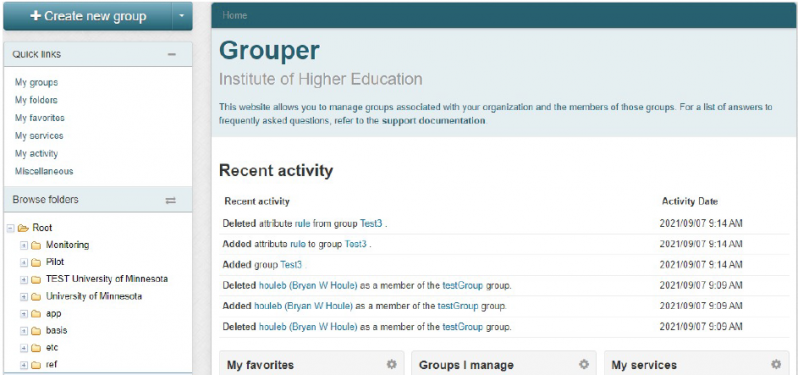
Grouper is an open-source delegated group management tool from the Internet2 Consortium that is used for Access Management and Governance in institutions of higher education.