
When you add a predefined logic, choose one of the items in the table below from the Formula menu.
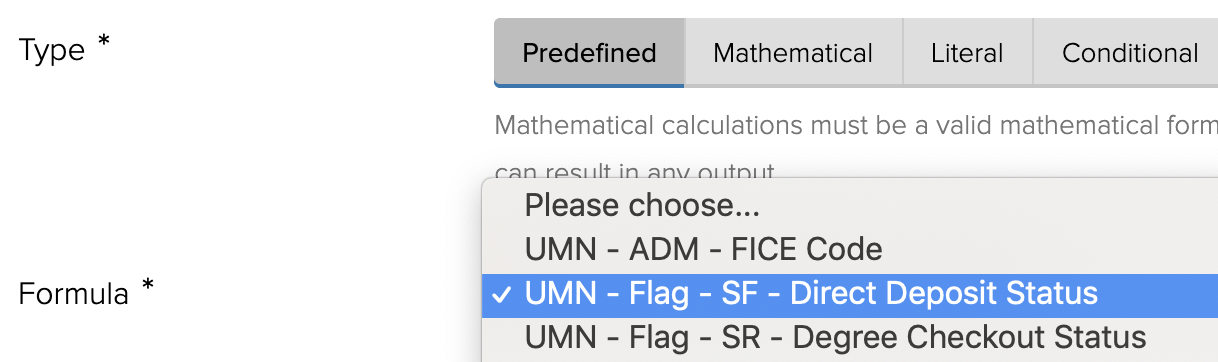
The following predefined logic (formulas) are available.
| Predefined Logic (Formula) Name | Description | Source of Data |
|---|---|---|
| UMN - ADM - FICE Code | Allows a user to lookup a school's FICE code using the Peoplesoft external organization ID. | Peoplesoft |
| UMN - Flag - SR - Degree Checkout Status | Allows a user to lookup the logged in end user's degree checkout status. | Peoplesoft |
| UMN - Flag - SR - User Has Active Career | Determines if the logged in end user has an active career based on the career and campus selected by the form builder. | Peoplesoft |
| UMN - Flag - USERV - Can Access PAN | Determines if the logged in end user can access data in the PAN database. | PAN |
| UMN - Jadu - Current Environment |
Determines if the form is being used in the TST (test) or PRD (production) environment.
|
Jadu |
| UMN - Perceptive Index - Trim Value | Pass in a value and it will be trimmed down to 39 characters. This is intended to be used as a Perceptive index. | Jadu |
| UMN - SR - Current Term | Pulls the current term for the campus and career selected. | Peoplesoft |
| UMN - Utility - List Cleaner | Pass in a list of values to remove duplicates, empty values, and output a clean list. | Jadu |