Description
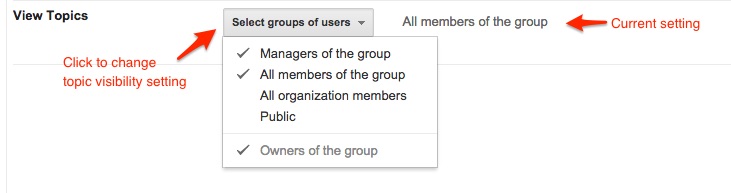
If your Google Group is not part of the BAA suborg, you may change the visibility settings of your group to allow different types of users to see (or not see) the group's topic postings.
It is recommended that unless you have a specific need to share information outside of the group, that you keep the topics visible only to members of the group, which is the default setting.
Instructions
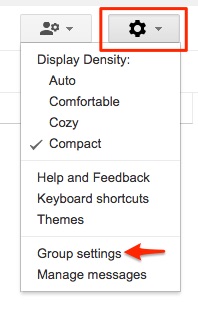
- In the upper-right corner of the group management screen, click the Settings button:
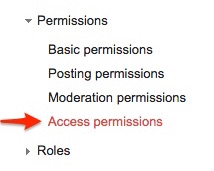
- Then click on Permissions and select Access Permissions.
- Click the "Select groups of users" drop down and select the desired permission(s) from the list.