Overview

FeedbackFruits offers a suite of academic technology tools that support a variety of active learning activities. The University is currently licensing the following FeedbackFruits tools, integrated into Canvas:

  • Peer Learning Tools aim to streamline feedback processes, facilitate group work, and increase authentic assessment.
    • Peer Review
    • Group Member Evaluation
    • Skill Review
    • Self-Assessment
  • Interactive Study Materials allow for social annotation, integrated questions, and collaboration with course materials and peers.
    • Interactive Document
    • Interactive Video
    • Interactive Audio

Highlights

  • Facilitate a variety of interactive study (social annotation) and peer learning instructional strategies to meet a range of pedagogical needs.
  • Engage student interaction with peers, self, and course materials based on predefined criteria, evaluation, and feedback
  • Promote a consistent, streamlined interface for both instructors and students for all FeedbackFruits tools
  • Integrates seamlessly with Canvas Assignments or Modules 

FeedbackFruits offers live chat support for both teachers and students (24/5, Monday- Friday). 

Note: FeedbackFruits works best when used in Chrome or Firefox browsers.

Getting Started

To use FeedbackFruits in Canvas, instructors can link to the tool either as a graded assignment or as an ungraded module item. These four tools are available:

Tool

Pedagogical Use

Example Use Case

Group Member EvaluationStreamline how students assess their peer’s collaboration skills. The instructor specifies criteria students use to evaluate their peers’ contribution to group work. 
  • Students give feedback on their peers’ collaboration skills during a group project.
  • Personalize group grades based on individual contributions to group work. 
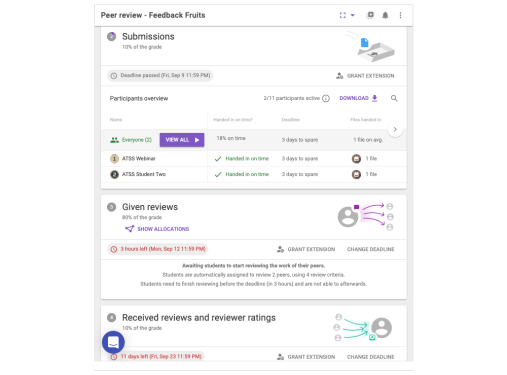
Peer Review Enables instructors to create assignments for students to provide feedback to their peers on deliverables (e.g., documents or videos) based on predefined criteria.
  • Students peer assess each other's draft reports before the final hand-in to teachers.
  • Students upload videos of their work for peers to review and provide feedback. 
Skill ReviewFacilitates instructor feedback on activities such as presentations, oral exams, or interviews. Students are not required to make a submission. 
  • Review students’ group presentations.
  • Evaluate oral exams.
  • Review negotiation skills. 
Self-AssessmentAllow students to review themselves based on predefined criteria, provide scores, and feedback
  • Students evaluate themselves and determine which aspects they should work on improving
Interactive DocumentAllows students to interact with course documents —answering questions, annotating content, and responding to prompts in real-time, either individually or collaboratively. 
  • Students answer practice questions and add annotations (personalized comments) directly within assigned documents.
Interactive VideoAllows students to interact with course video —answering questions, annotating content, and responding to prompts in real-time, either individually or collaboratively. 
  • Students answer practice questions and add annotations (personalized comments) directly within assigned videos.
Interactive AudioAllows students to interact with course audio —answering questions, annotating content, and responding to prompts in real-time, either individually or collaboratively.
  • Students answer practice questions and add annotations (personalized comments) directly within assigned audio.

Integration into Canvas